Unlock Peak Productivity: The Ultimate Mechanical Keyboard Guide
Ultimate Mechanical Keyboard, In the digital age, where our livelihoods often hinge on the speed and precision of our fingers dancing across a keyboard, the tools we choose are no longer mere peripherals. They are extensions of our will, conduits for creativity, and critical components of our personal productivity ecosystem. While many users are content with the membrane keyboards bundled with their computers, a growing cohort of professionals, gamers, and tech enthusiasts are discovering the transformative power of mechanical keyboards. These sophisticated input devices, once relegated to niche markets, are now at the forefront of optimizing desktop productivity, enhancing user experience, and even influencing well-being.
This ultimate guide delves deep into the world of Ultimate Mechanical Keyboards, exploring how these meticulously engineered devices can revolutionize your workflow, reduce fatigue, and ultimately, maximize your productivity. We’ll uncover the science behind their superior performance, navigate the myriad of options available, and provide practical advice to help you select, customize, and integrate the perfect mechanical keyboard into your high-performance setup.
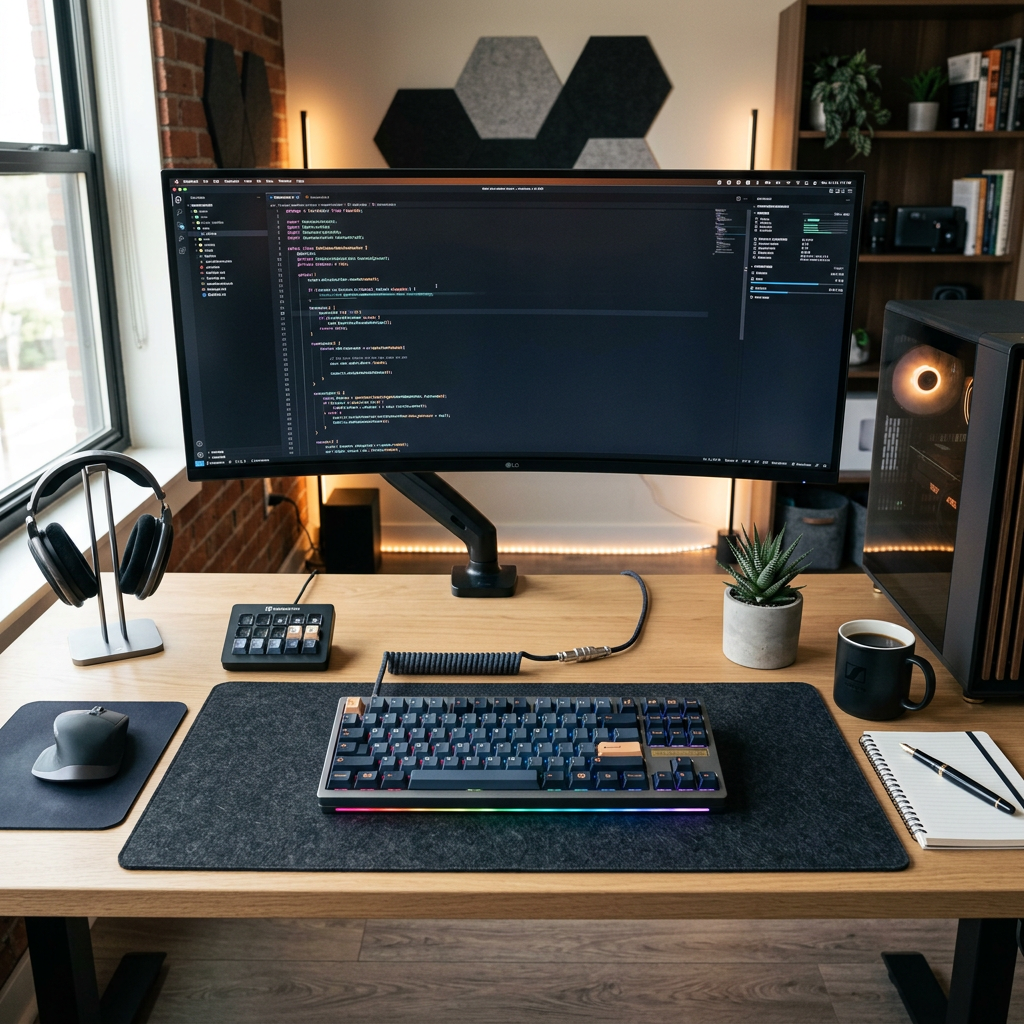
The Unseen Advantage: Why Ultimate Mechanical Keyboards Boost Productivity
At first glance, a Ultimate Mechanical Keyboard might seem like a simple upgrade, perhaps a luxury. However, beneath their robust exterior lies a meticulously designed system that offers distinct advantages over traditional membrane keyboards. Understanding these fundamental differences is key to appreciating their impact on productivity.
Tactile Feedback and Typing Accuracy
One of the most immediate and profound benefits of a mechanical keyboard is its superior tactile feedback. Unlike membrane keyboards, where a keypress requires bottoming out the key to register, mechanical switches activate at a specific point in their travel. This “actuation point” is often accompanied by a distinct physical bump or an audible click, signaling to the user that the keypress has registered without needing to press the key all the way down. This immediate feedback loop reduces the effort required for each keystroke, minimizes errors, and allows for faster, more accurate typing.
Reduced Fatigue and Enhanced Comfort
The consistent and precise actuation of mechanical switches, combined with their generally higher quality keycaps, significantly reduces finger strain over long typing sessions. The nuanced differences in switch types – from light, linear presses to heavier, clicky feedback – allow users to choose a feel that perfectly matches their typing style and ergonomic needs. This personalized experience translates directly into less fatigue, enabling extended periods of productive work without discomfort.
Durability and Longevity
Ultimate Mechanical Keyboards are built to last. Each key switch is an independent, durable unit typically rated for tens of millions of keystrokes, far exceeding the lifespan of membrane alternatives. This longevity not only represents a sound investment but also ensures consistent performance over years of intensive use, minimizing downtime and maintenance hassles.
Anatomy of a Productivity Powerhouse: Understanding Ultimate Mechanical Keyboard Components
To truly harness the power of a mechanical keyboard, it’s essential to understand its core components. Each element plays a crucial role in the keyboard’s overall feel, sound, and functionality.
The Heart of the Keyboard: Mechanical Switches
Switches are arguably the most critical component, defining the keyboard’s typing experience. They come in three primary categories, each offering a unique feel:
- Linear Switches: These switches offer a smooth, consistent keystroke from top to bottom, with no tactile bump or audible click. Often favored by gamers for rapid double-taps and fast typists who prefer an uninterrupted key travel. (e.g., Cherry MX Red, Gateron Yellow).
- Tactile Switches: Characterized by a noticeable bump midway through the keypress, tactile switches provide feedback to the user that a key has been actuated without an audible click. This feedback helps prevent “bottoming out” and can improve typing accuracy. Often recommended for writers and coders. (e.g., Cherry MX Brown, Holy Panda).
- Clicky Switches: Combining the tactile bump with an audible “click” sound, these switches provide both tactile and auditory feedback. Beloved by those who enjoy the classic typewriter feel, but can be disruptive in shared office environments. (e.g., Cherry MX Blue, Kailh Box White).
Beyond these primary types, innovations like magnetic switches (offering adjustable actuation points) and optical switches (using light for actuation) are emerging, pushing the boundaries of speed and customization.
Keycaps: The Interface with Your Fingers
Keycaps are the plastic covers on top of the switches. Their material, profile (shape), and legends (characters) significantly influence typing comfort and aesthetics. Common materials include ABS (affordable, prone to shine) and PBT (more durable, textured, resistant to shine). Custom keycap sets are a popular way to personalize a keyboard, adding flair and improving ergonomics.
Stabilizers, Plate, PCB, and Case
- Stabilizers: Essential for larger keys (Spacebar, Shift, Enter), stabilizers prevent wobbling and ensure consistent keypresses.
- Plate: A metal or plastic layer that holds the switches in place, contributing to the keyboard’s rigidity and sound profile. Materials like aluminum, brass, or polycarbonate offer different flex and acoustic properties.
- PCB (Printed Circuit Board): The “brain” of the keyboard, the PCB registers keypresses and sends signals to the computer. Hot-swappable PCBs allow users to change switches without soldering, offering unparalleled customization.
- Case: The enclosure that houses all components. Cases vary widely in material (plastic, aluminum, wood), design, and mounting style (e.g., tray mount, gasket mount), all of which impact the keyboard’s acoustics and feel.
Choosing Your Perfect Productivity Partner: A Buying Guide
Selecting the right mechanical keyboard for productivity involves a thoughtful consideration of several factors beyond just switch type.
Form Factor: Sizing Up Your Workspace
Ultimate Mechanical Keyboard come in various sizes, each with its own advantages:
- Full-size (100%): Includes a full alphanumeric set, function row, navigation cluster, and a numpad. Ideal for data entry, spreadsheets, and users who frequently use the numpad.
- Tenkeyless (TKL) (87%): Removes the numpad, resulting in a more compact keyboard that saves desk space and allows for better mouse positioning, improving ergonomics for many.
- 65% / 60%: Even smaller layouts that omit the function row, navigation cluster, or arrow keys (though these are often accessible via a function layer). Popular among minimalist setups and users who prioritize desk space and portability.
- Custom Layouts: Ortholinear, split, or ergonomic layouts like the Alice layout offer radical departures from standard designs, specifically aimed at improving ergonomics and reducing strain.
Connectivity: Wired, Wireless, and Multi-Device
Your connectivity choice impacts convenience and latency:
- Wired: Offers the most reliable connection with zero latency, ideal for competitive gaming and professional use where every millisecond counts. USB-C is now the standard.
- Wireless (Bluetooth/2.4GHz): Provides greater flexibility and a cleaner desk. Bluetooth is convenient for multi-device pairing (laptop, tablet, phone), while 2.4GHz dongles often offer lower latency, closer to wired performance. Advanced wireless tech now often includes robust power delivery systems, allowing for extended battery life and quick charging.
Ergonomics and Design Considerations
A keyboard’s design heavily influences comfort and long-term health:
- Adjustable Tilt: Many keyboards offer feet to adjust the typing angle.
- Wrist Rests: Crucial for maintaining a neutral wrist position, reducing strain.
- Split Keyboards: Designed to keep wrists straight and shoulders relaxed by separating the keyboard into two halves.
- Keycap Profile: Different keycap profiles (e.g., OEM, Cherry, SA, XDA) can affect finger positioning and overall typing feel.
- Sound Profile: The sound a keyboard makes is a subjective but important ergonomic factor. Silent switches or sound-dampening modifications can be vital in shared workspaces or for users sensitive to noise.
Customization and Hot-Swappability: Future-Proofing Your Investment
Modern mechanical keyboards, especially those falling under the ‘consumer electronics’ umbrella with smart features, often boast extensive customization options. Hot-swappable PCBs are a game-changer, allowing users to swap out switches without soldering, making it easy to experiment with different switch types or replace faulty ones. This feature, combined with software tools like VIA or QMK, enables users to remap keys, create macros, and set up multiple layers, transforming the keyboard into a truly personalized productivity hub.
Advanced Productivity Hacks with Mechanical Keyboards
Beyond the fundamental benefits, mechanical keyboards offer advanced features that can drastically streamline complex workflows, especially when integrated into a sophisticated desktop productivity setup.
Macro Programming for Workflow Automation
Many Ultimate Mechanical Keyboards come with software (or open-source firmware like QMK/VIA) that allows for extensive macro programming. This means you can assign a sequence of keystrokes, mouse movements, or commands to a single key. Imagine:
- One key to open your most used applications.
- A macro to paste specific code snippets or email templates.
- Automating repetitive data entry tasks.
- Triggering smart home ecosystem commands (e.g., turning on office lights, adjusting thermostat) via a keyboard shortcut.
This level of automation, bridging computing gear with smart infrastructure concepts, significantly cuts down on clicks and manual input, freeing up mental bandwidth for more critical tasks.
Layered Keymaps: Unlocking More from Less
For smaller form factor keyboards (e.g., 60%, 65%), layered keymaps are essential for accessing all standard keys. However, they can also be powerful productivity tools on any size keyboard. By pressing a dedicated “function” key (Fn), you can switch to a different “layer” of key assignments. This allows you to:
- Create dedicated layers for specific applications (e.g., a Photoshop layer with common shortcuts, a coding layer with syntax macros).
- Have an entire layer for media controls or system functions.
- Consolidate all your niche shortcuts into easily accessible groups.
This effectively gives you multiple keyboards in one, all accessible with minimal finger movement.
Ergonomic Setup Integration and Smart Desk Ecosystems
A mechanical keyboard is one piece of the puzzle in an optimized ergonomic workstation. Integrating it with other smart infrastructure components amplifies its productivity impact:
- Standing Desks: Use macros to trigger desk height adjustments.
- Smart Lighting: Program keys to adjust desk lighting for optimal visibility and reduced eye strain.
- Multi-Monitor Setups: Macros can quickly move windows between screens, or change display profiles.
The goal is a seamless, AI-driven automation experience where your input devices anticipate and facilitate your needs.
Ultimate Mechanical Keyboards in Specific Professions
The benefits of mechanical keyboards resonate across various professions, each finding unique advantages.
- Programmers and Developers: The precision of tactile switches helps reduce typing errors when writing code. Macro capabilities are invaluable for complex syntax, command line operations, and rapid context switching between IDEs and terminals. The durability withstands countless lines of code.
- Writers and Journalists: The satisfying feedback of tactile or clicky switches can enhance the rhythm and flow of writing, reducing fatigue during long drafting sessions. High-quality keycaps and ergonomic designs prevent strain.
- Data Entry Professionals: Numpads with crisp, consistent switches (often linear or light tactile) enable faster and more accurate input of numerical data, crucial for efficiency.
- Gamers: While this guide focuses on productivity, gaming gear heavily overlaps. Low-latency switches (linear, optical, magnetic) and rapid actuation are critical for competitive gaming, and these same attributes translate into responsiveness for productivity applications.
- Content Creators: Whether editing videos, designing graphics, or streaming, macros can automate repetitive tasks, switch between software quickly, and even control streaming equipment. The aesthetic appeal of custom keyboards also fits well within a creative’s brand.
Latest Trends and Future Innovations in Mechanical Keyboards
The mechanical keyboard landscape is constantly evolving, driven by community innovation and technological advancements. These trends promise even greater productivity enhancements in the future:
Gasket Mount and Flex: The “Thock” Revolution
Gasket-mounted keyboards, where the plate is isolated from the case by soft material gaskets, are a major trend. This design provides a softer, more flexible typing experience and improves the acoustic profile, often resulting in a highly sought-after “thocky” sound. This enhanced typing feel can further reduce finger fatigue and contribute to a more enjoyable, productive experience.
Magnetic Switches and Rapid Trigger Technology
Magnetic (Hall effect) switches are gaining traction, particularly in high-performance gaming gear, but their applications for productivity are significant. They allow for adjustable actuation points and “Rapid Trigger” technology, meaning keys reactivate instantly upon release, rather than requiring a full reset. For professionals who demand hyper-responsiveness and custom sensitivity (e.g., precise control in CAD software or rapid text editing), these switches offer unparalleled control.
AI-Powered Customization and Adaptive Input
Emerging tech trends hint at a future where AI-driven software could adapt keyboard layouts and macros based on user behavior and context. Imagine a keyboard that automatically suggests shortcuts for the software you’re using, or adjusts switch actuation force based on your typing style to minimize fatigue. While still largely conceptual, integrating consumer AI software tools with advanced input devices promises a new era of personalized productivity.
Sustainable Materials and Eco-Conscious Design
As part of a broader shift in consumer electronics, there’s a growing emphasis on sustainability. Manufacturers are exploring eco-friendly materials for cases, keycaps, and packaging, alongside modular designs that facilitate repair and recycling. This aligns with a holistic approach to productivity that considers environmental impact.
Enhanced Wireless Technologies and Power Delivery
Advances in wireless audio and general wireless tech are bleeding into keyboards. More reliable, low-latency 2.4GHz connections, better Bluetooth multi-device integration, and extended battery life are becoming standard. Integration with efficient power delivery systems, like USB-C GaN chargers and multi-port hubs, ensures keyboards can remain powered and connected seamlessly, often offering passthrough charging for other portable creation gear.
Buying Recommendations: What to Look For
When investing in a Ultimate Mechanical Keyboard for productivity, consider these key aspects:
- Define Your Switch Preference: Experiment! Try different switch types (linear, tactile, clicky) using a switch tester or by visiting a tech store. Your ideal switch is subjective.
- Choose the Right Form Factor: Assess your desk space and workflow. Do you need a numpad? Are arrow keys essential?
- Prioritize Build Quality: Look for sturdy cases (aluminum is premium), good quality keycaps (PBT is preferred for durability), and well-lubricated stabilizers.
- Hot-Swappability: If you’re unsure about switches or enjoy experimenting, a hot-swappable PCB is a wise investment.
- Software and Customization: Check if the keyboard supports robust software for key remapping and macros (e.g., QMK/VIA compatibility).
- Connectivity Needs: Decide between wired, Bluetooth, or 2.4GHz wireless based on your setup and portability requirements.
- Ergonomics: Consider a wrist rest, adjustable feet, and potentially a split or ergonomic layout if you experience discomfort.
- Budget: Mechanical keyboards range widely in price. Entry-level options start around $50-100, while premium custom builds can exceed $500. Find the sweet spot that offers the features you need without breaking the bank.
Maintaining Your Productivity Powerhouse
A well-maintained mechanical keyboard will serve you faithfully for years. Simple care routines include:
- Regular Cleaning: Use compressed air to remove dust and debris. Keycaps can be removed and soaked in warm soapy water for a deeper clean.
- Lubrication: For a smoother feel and improved acoustics, switches can be carefully lubricated with specialized grease. This is an advanced customization but can significantly enhance the typing experience.
- Firmware Updates: Keep your keyboard’s firmware updated to ensure optimal performance and access to new features.
FAQ: Your ultimate mechanical keyboard Productivity Questions Answered
Q1: Are ultimate mechanical keyboards really worth the higher price for productivity?
A1: Absolutely. While the initial investment is higher, the long-term benefits of increased typing speed and accuracy, reduced fatigue, enhanced comfort, and superior durability often outweigh the cost. Many users report a significant improvement in their overall workflow and enjoyment of their daily tasks.
Q2: Will a ultimate mechanical keyboard make me type faster immediately?
A2: Not necessarily immediately, but over time, yes. The superior tactile feedback and reduced key travel required to actuate switches can help you develop a more efficient typing style. Consistent practice on a mechanical keyboard naturally leads to increased speed and accuracy as your muscle memory adapts to the precise feedback.
Q3: Which switch type is best for programming or writing?
A3: For programming and writing, tactile switches (like Cherry MX Brown or Holy Panda) are often recommended. They provide a noticeable bump that confirms key actuation without being overly loud, helping to prevent errors and reduce typing fatigue. However, personal preference varies, and some may prefer linear switches for their smooth, uninterrupted travel.
Q4: Can I use a ultimate mechanical keyboard in a shared office space without disturbing others?
A4: Yes, definitely! While some mechanical switches (clicky ones) can be loud, many options are designed for quiet operation. Linear switches (like Cherry MX Red or Silent Red) and silent tactile switches (like Cherry MX Silent Brown or Zilent V2) are excellent choices for office environments, offering the benefits of mechanical keyboards with minimal noise output. Gasket-mounted keyboards can also help dampen sound.
Q5: What is hot-swappability, and why is it important for productivity?
A5: Hot-swappability means you can change your keyboard’s switches without needing to solder. This is crucial for productivity as it allows you to easily experiment with different switch types to find your optimal typing feel, replace a faulty switch without sending the whole keyboard for repair, or even swap in specialized switches for specific tasks (e.g., heavier switches for typing, lighter ones for gaming).
Conclusion: Elevate Your Digital Workflow
The journey into the world of Ultimate Mechanical Keyboards is more than just an equipment upgrade; it’s an investment in your personal efficiency, comfort, and long-term well-being in the digital realm. By understanding the intricate mechanics, customizing your experience, and leveraging advanced features like macros and layered keymaps, you transform a simple input device into a powerful productivity tool. From the satisfying thock of a perfectly tuned switch to the seamless automation of complex tasks, a Ultimate Mechanical Keyboard has the potential to redefine your interaction with technology, making every keystroke a step towards greater achievement. Embrace the revolution, unlock your peak productivity, and type smarter, not harder.
This guide effectively breaks down the critical components and productivity benefits of mechanical keyboards. Highlighting hot-swappability as a key future-proofing investment is a crucial point for anyone serious about their setup.